
Domain Hoarding made less painfull
 UMTS at Teleco
bdede69430
v2.1.2
UMTS at Teleco
bdede69430
v2.1.2
|
6 months ago | |
|---|---|---|
| dist | 6 months ago | |
| doc | 6 months ago | |
| scripts | 6 months ago | |
| src | 6 months ago | |
| .gitignore | 6 months ago | |
| Cargo.toml | 6 months ago | |
| Lists.toml | 6 months ago | |
| Makefile | 6 months ago | |
| README.md | 6 months ago | |
| build.rs | 6 months ago |
README.md
HoarDom
Allows you to "HOARd DOMains" more efficiently and make your wallet file for divorce more quickly!
"How to get my IP unbanned by Whois servers"
-- Probably you after using this tool.Note : My homes IP address is currently banned from the following domains due to this tool :
- whois.sx
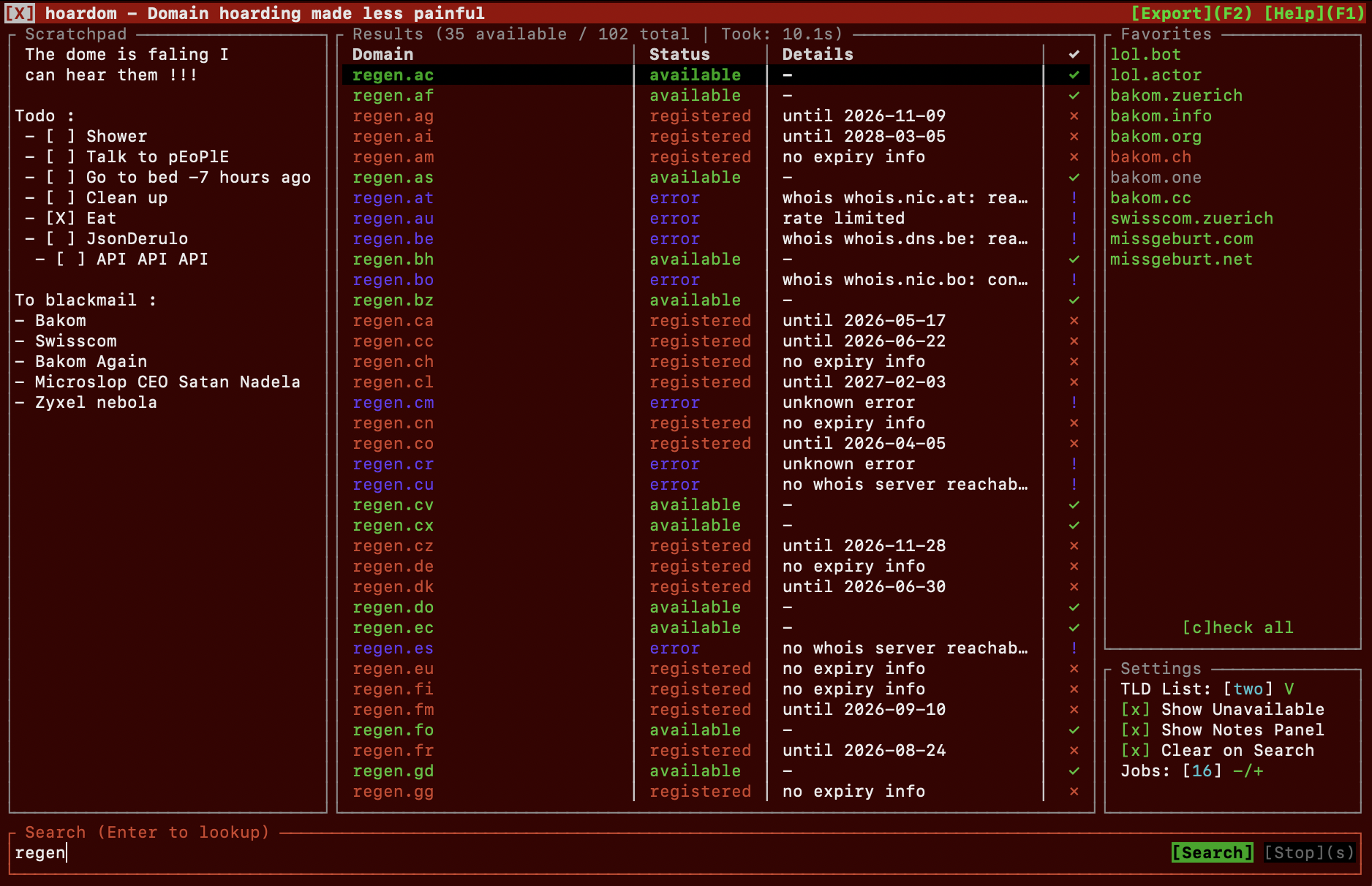
Latest Update : It now doesnt suck anymore !
v2.1.2 added a bunch of improvements as I dont push often heres everything thats fixed or new :
- fixed : catchup game for when you scroll to fast, none ascii notes text crashing the app, favorites false change indication, notes not scrollable, results sizing consistency issues, outdated help in prev "release", garbage comments, autolist slop script to actually pull inwx properly, more lists (biased and hand sorted for most part).
- added : none ascii support for searching domains, scrollbars, more keyboard shortcuts, copy paste support, funny changing title bar headers
tldr :
- 143 additional supported TLDs
- app now cooler than before
What is hoardom? (a tldr)
hoardom is a rust based tool with cli, tui and to some degree gui interface. It is intended for checking and tracking the availability and status of domains and domain name ideas.
In short the threeish interfaces serve the following purposes :
- CLI : Allows for quick and script/programm integratable use through its CLi interface returning domain availability status or lists with a wide but still sane amount of support of parameters
- TUI : Allows you to hunt and keep track of domain (name) ideas and quickly search up what is available and what isnt right in your unix terminal of choice
- GUI : Is a wrapper for the TUI that gives it its own icon in your app menu and when opened in dock/taskbar incase you wish to not use it that way.
planed features
that will probably not come because I have no time.
- search within results
Further screenshots
Have some screenshots I took as to know what will expect you and mainly for me to flex a bit.
Its fast :
Searching the default domain list returns results of the top 100ish tlds in just 1-3 seconds!
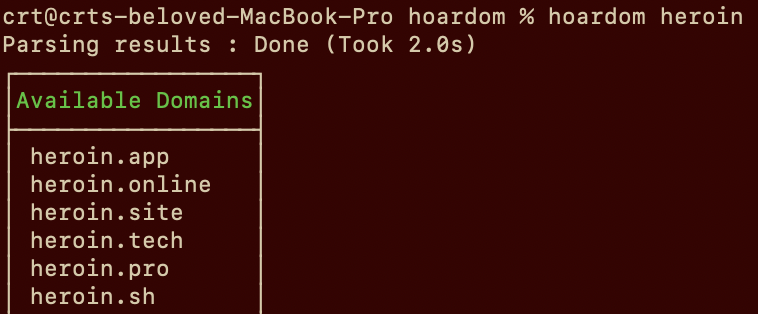
*(list of top 100ish tlds is a bit biased by my preference obviously)
Searching availability for all domains I was able to compiled which are purchasable through either : Porkbun, INWX or OVH (~637 Domains) will take only 10-20 Seconds!
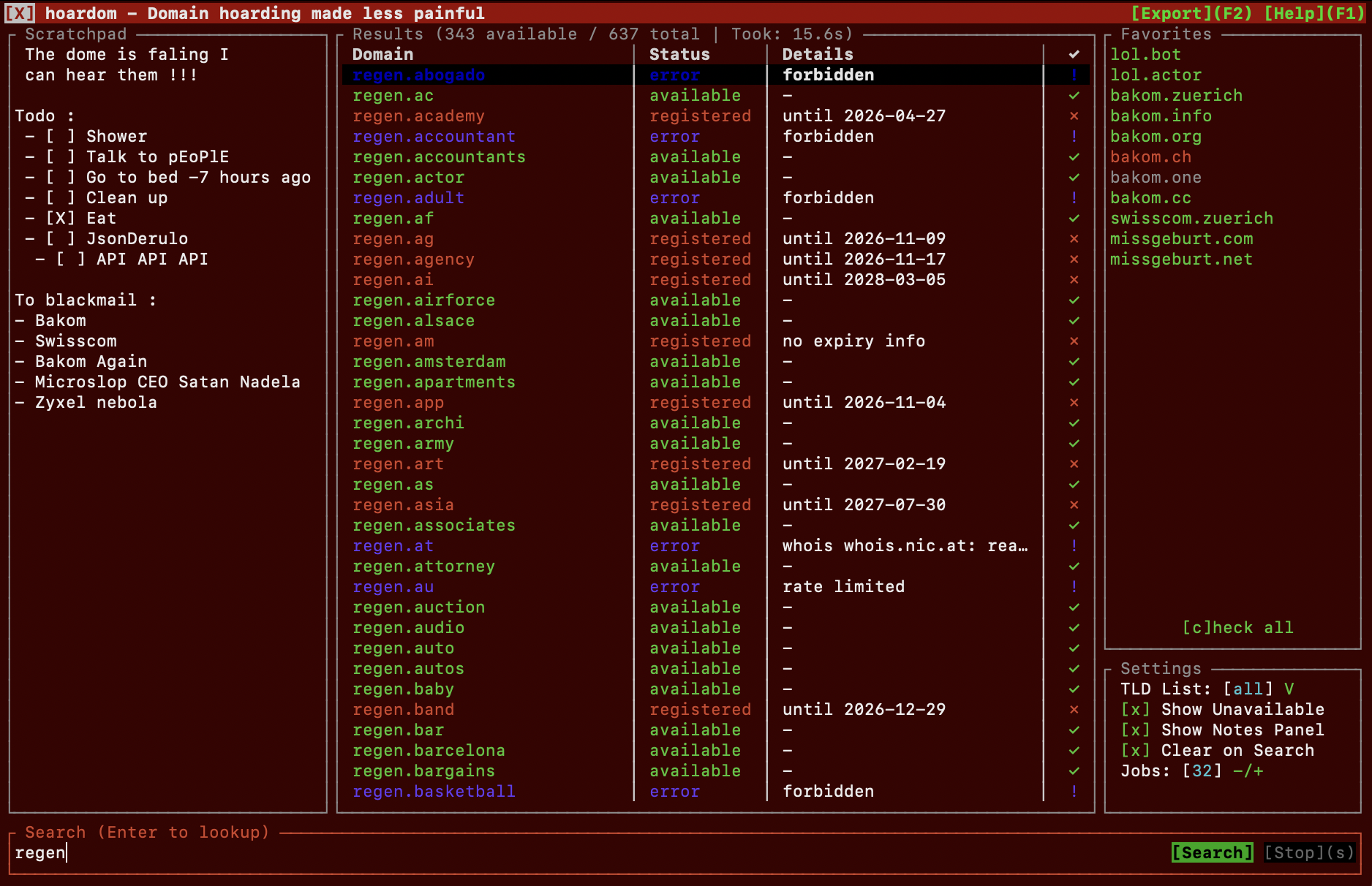
Btw theres even tracking of you your favorites! Showing a persistant " ! " for domains that changed from unavailable to available (and reverse). To make it go away you'll need highlighting it and press enter (its meant so that no change goes unnoticed)
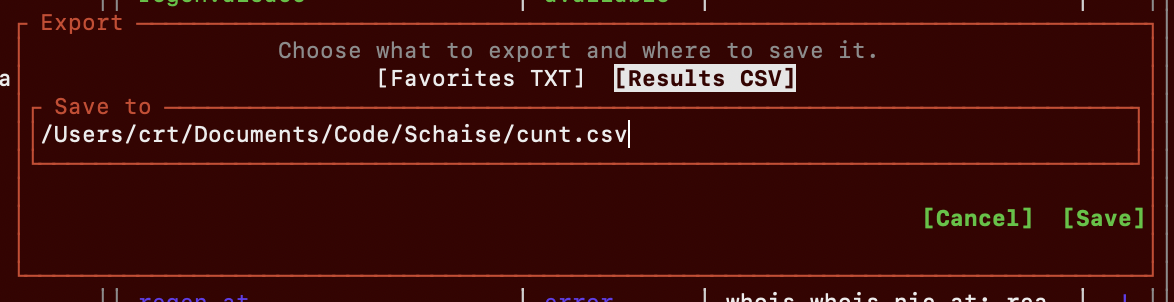
Export popup
you can export stuff from tui wow!, tbh I dont know what else to show its pretty cool, check yourself tbh. It obviously can do full mouse support to and scrollwheel support is also there if you want
How do I install hoardom?
hoardom's tui and especially its gui interface officially only supports Unix based systems, Windows was net tested!
The regular cli interface should work with the built in main lookup and fallback whois implementations on Windows but that hasn't been tested.
Debian
Not tested yet tbh. Probably wont build the GUI wrapper but should still add a desktop entry shortcut for opening it in terminal
# Install RustUp Toolchain (Optional if already installed)
curl --proto '=https' --tlsv1.2 -sSf https://sh.rustup.rs | sh

# clone and enter this repo
git clone https://git.teleco.ch/crt/hoardom.git && cd hoardom

# make deb and install
make deb
sudo dpkg -i target/deb/hoardom*.deb
Other Linuxes
Not tested yet tbh. Same as above.
# Install RustUp Toolchain (Optional if already installed)
curl --proto '=https' --tlsv1.2 -sSf https://sh.rustup.rs | sh

# clone and enter this repo
git clone https://git.teleco.ch/crt/hoardom.git && cd hoardom

# build and install
make
sudo make install
MacDonalds OS
Also known as MacOS
# Install RustUp Toolchain (Optional if already installed)
curl --proto '=https' --tlsv1.2 -sSf https://sh.rustup.rs | sh

# clone and enter this repo
git clone https://git.teleco.ch/crt/hoardom.git && cd hoardom

# make pkg installation file.
make pkg
After that go to the target/release folder and install the PKG file.
Uninstall
sudo make uninstall
Minimal Q&A on getting started
And potentially fun facts.
- Question: How do I open the TUI?
- Answer: With :hoardom --tui
-
- Question: I dont need GUI all I want is a simple command?
- Answer: Ofcourse! That was the initial idea, simply type :
-->hoardom somedomain.comto see if a specific domain is free
-->hoardom somedomainto check which top 100ish tlds are free
-->hoardom -l all -a somedomainto check all 600ish registerable domain names and explicitly show which ones are already taken
- Note: If you need stuff like csv outputs or other silly features check the CLi docs
Custom lists
As this is mentioned below as a fix to a bigger problem ive added this here (also partially because i forgot to rename import filter to import list, earlier typo that survived for too long)
Tldr you can make custom search list see example : doc/example-list.toml
Custom lists are basically a really simple toml file with a name and the tlds array.
To import them/update them use hoardom --import-list ./path/to/list.toml --tui
Docs
the proper usage docs live here cause i didnt want this readme to become like 1km long (its already too long anyways)
Known Problems
Just so you know + how to get arround some of the bigger ones. No guarantee whether or not I will ever fix em this "little" side project wasnt meant to become such a cool thing from the start
- BIG ISSUES
- Problem : Not really ready for microdomains, If searched for SLD is only 1-3 chars some false positives from TLDs that dont allow such short SLDs are possible if that domain isnt registered.
- Temp Fix : Make custom list that excludes the missbehaving for microdomainhunting
- Problem : Not really ready for microdomains, If searched for SLD is only 1-3 chars some false positives from TLDs that dont allow such short SLDs are possible if that domain isnt registered.
- Meh Issues
- Problem : No real like settings pop up panel in TUI to control rest of configuration options in TUI
- Edit your settings manually, by default in ~/.hoardam/config.toml
- Problem : No real like settings pop up panel in TUI to control rest of configuration options in TUI
- Tiny Issues
- All good :)
Things for some day
- Price lookups maybe
- Automatic minimum lenght for TLD required + definition for it in Lists.toml
- Better sorted and organized autogenerated AutomaticList.toml and deslopification of fetch-tld script.
Credits
I have made most of this program myself, generative work not done by me has mostly been marked in code apart from maybe some bugfixes. Code from other people on the internet I kinda forgot to mark properly perhaps but eh happens.