
Domain Hoarding made less painfull
 UMTS at Teleco
6cd20735eb
added timer to flex on how fast it is to cli command.
UMTS at Teleco
6cd20735eb
added timer to flex on how fast it is to cli command.
|
6 mesi fa | |
|---|---|---|
| doc | 6 mesi fa | |
| scripts | 6 mesi fa | |
| src | 6 mesi fa | |
| .gitignore | 6 mesi fa | |
| Cargo.toml | 6 mesi fa | |
| Lists.toml | 6 mesi fa | |
| README.md | 6 mesi fa | |
| build.rs | 6 mesi fa |
README.md
Multithreaded Domain Hoarding !?
"How to get my IP unbanned by Whois servers"
-- You at 3am after using this tool for a few hours
What even is hoardom? (tldr)
The work of art you see below is a tool with which you will be able to achieve the pinacle of hoarding and money wasting when commiting to once again falling down the Domain Hoarding Hole!
(
for example when gambling online just isnt doing it for you anymore)
Seriously for once : It is meant to atleast make the journey you'll have loosing your mind finding a banger domain more tolerable than siting on your computer until 5am scrolling through domain registrars crappy ass domain look up webpanel just to know whats not taken yet.
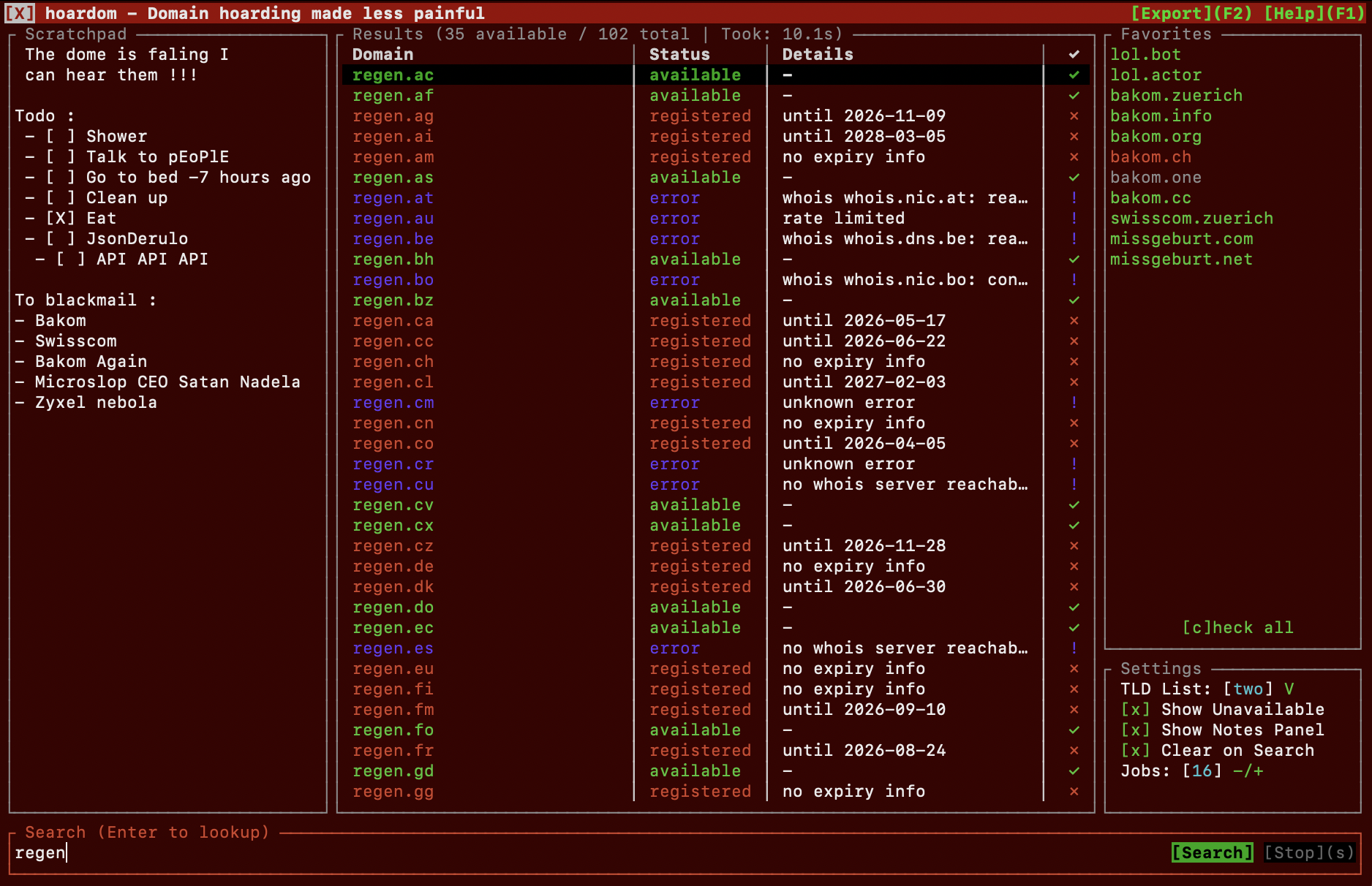
Dont believe me on this being the best? Fair, but what if one of my test subjects* described to you how it felt to use this tool :
THIS IS THE BEST domain hoarding tool ever!!! Ive gone completely mental and now have loads and loads of debt because I bought a bunch of worthless domains I will do nothing with!
*(the subject was me and voices i got in my head making this)
Dont wanna use its TUI? Fine it can also run as a normal CLI tool if you just wanna search some stuff real quick and move on with your sad chud life before going insane and launching it in TUI mode and start HOARDING you favorites, scribble your schizophrenia into its scratchpad and lose all your money to domains you wont ever use <3
what this thing does
- searches suffixes or full domains across TLD lists
- has a TUI mode with:
- results
- favorites
- settings
- scratchpad
- exports
- has a CLI mode for quick searches, scripts or sigma terminal maxxers.
- lets you import custom TLD lists from toml files because I wont bother keeping a list of "technically obtainable ones" up to date (Check and edit List.toml before compiling if the embedded ones I prepared dont satisfy you)
- keeps a
.hoardomconfig folder with your saved stuff- favorites
- imported lists
- em notes
- settings
- cach and stuff idk
known bugs
- missing basic ah tui features
- half of the app untested its 6am i havent slept leave me alone
- scrolling then selecting something sometimes takes a while until the button hitboxes catch up with scrolling (if using mouse or touchpad that is)
- will display fallse positives for some domains that have a minimum length that this tool doesnt know about (usually 4/5 lette domains where ur part is only 2)
planed features
that will probably not come because I have no time.
- search within results
more screenshots
speedy as fuck ? heck yea !!!
How long does it takes to search all domains purchasable through either : Porkbun, INWX or OVH (~637 Domains)? 15ish seconds on wifi at my home most time coming from retries at some uglier tlds
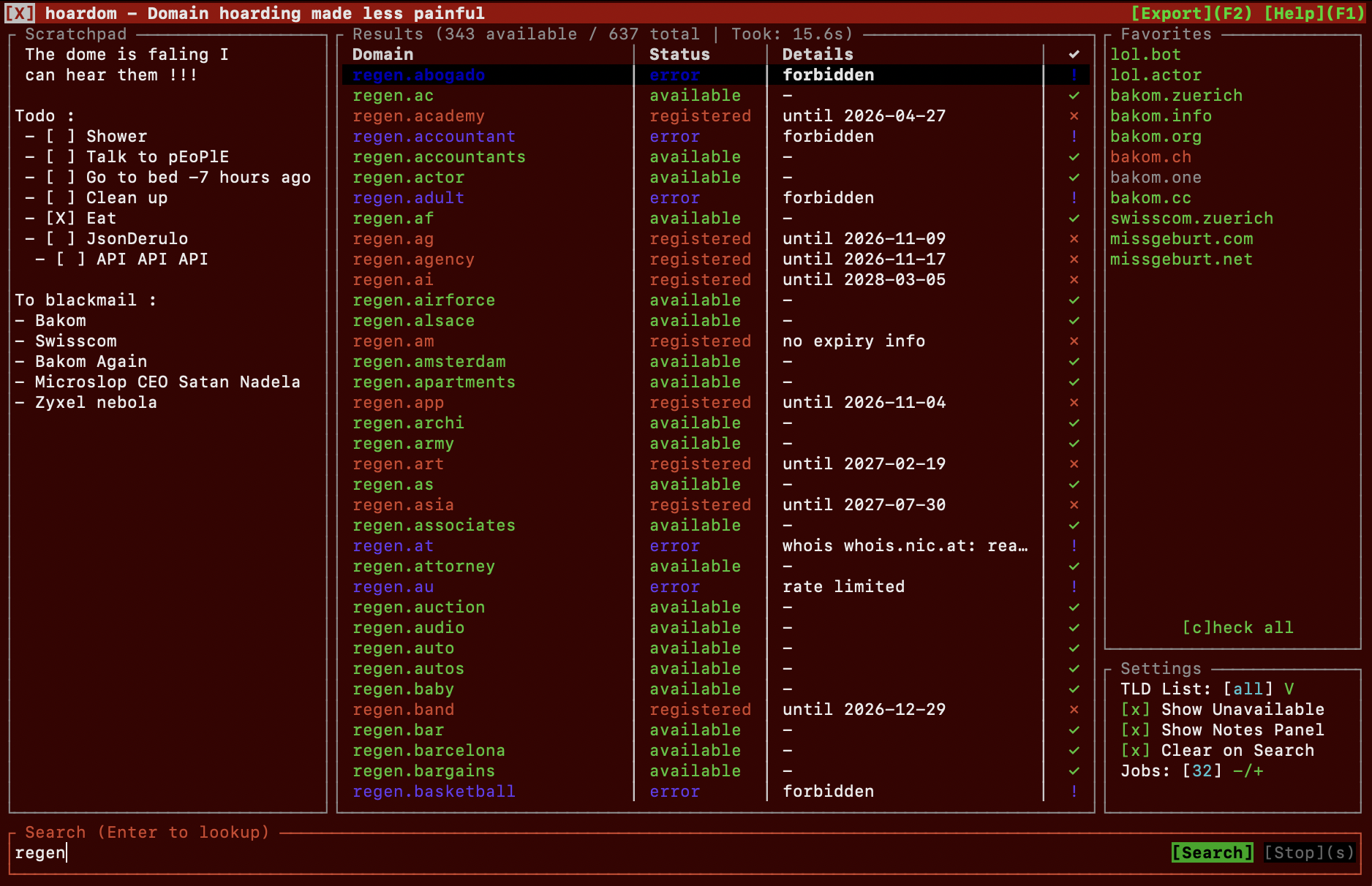
Oh and ofcourse you can save favorites and check their status here and there, if one changes it shows an ! next to it until you confirm it with enter.
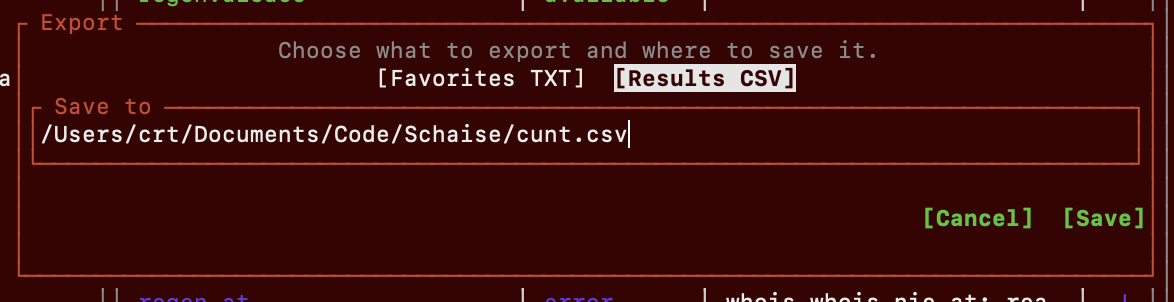
export popup
you can export stuff from tui wow!
cli example
put a CLI output screenshot here later
quick start
if you just wanna run it from source real quick:
cargo run -- --tui
some normal CLI examples:
cargo run -- coolproject
cargo run -- coolproject.io
cargo run -- --list Country hoardom
import a custom list and jump into the TUI:
cargo run -- --import-filter ./doc/example-custom-list.toml --tui
refresh the RDAP cache manually:
cargo run -- --refresh-cache
docs
the proper usage docs live here cause i didnt want this readme to turn into a kilometer long wall of flags:
so yeah if you want the actual button/key stuff or the CLI flag soup, go there.
custom lists
there is an importable example file here:
custom lists are just simple toml files with a name and a tlds array.
example shape:
name = "somecoollist"
tlds = ["com", "io", "dev", "sh"]
then import it with:
cargo run -- --import-filter ./path/to/list.toml --tui
did i use ai for coding this ?
for helping me fix bugs yea obv. other than that only some markdown structures as guidance were made by agentic llms and comments to the code were sanetized from very harsh swearing by an llm lol.